
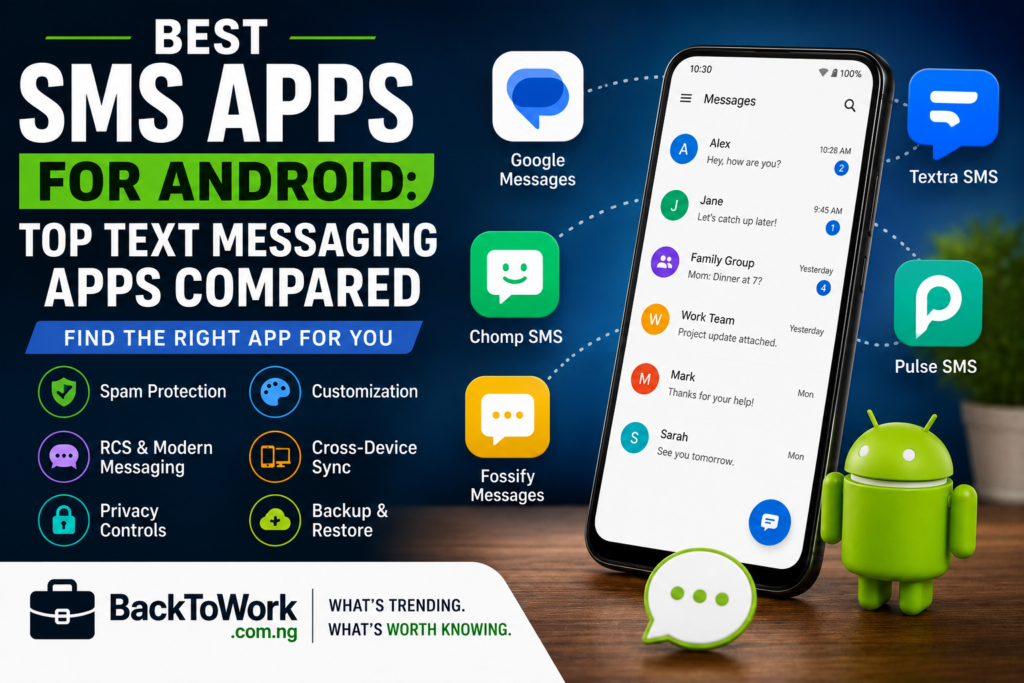

If you are looking for the top Android SMS apps, the best choice depends on what you want from your messaging experience. Google Messages is the strongest all-round option for most Android users, especially if you want RCS, spam protection, and broad compatibility. Textra SMS is a better choice if customization is your priority, while Fossify Messages stands out for people who want a local, open-source app without ads or tracking.
Other useful options include Chomp SMS for customization and traditional SMS/MMS features, and Pulse SMS if you want to access your SMS and MMS conversations across multiple devices.
Below, we’ll compare the strongest current options, explain their advantages and limitations, and answer an important question many Android users have: can you send text messages through Wi-Fi?
What Is an SMS App?
An SMS app is the application on your Android phone that handles traditional text messages and, depending on the app, multimedia messages such as pictures and group messages.
When you send a normal SMS, the message is handled through your mobile carrier. The messaging app is essentially the interface you use to compose, receive, organize, block, and manage those messages.
That is different from internet-based messaging apps such as WhatsApp, Telegram, or Messenger. Those services normally send messages through their own internet infrastructure and require both users to use the relevant service.
Modern Android messaging is a little more complicated because SMS apps can also support RCS. RCS adds features such as read receipts, typing indicators, high-resolution media sharing, and messaging over Wi-Fi or mobile data. RCS availability can vary by device, carrier, and region.
Top Android SMS Apps
Here are the strongest options worth considering if you want a better text messaging app for Android.
| App | Best For | SMS/MMS | RCS | Spam Protection | Cost |
|---|---|---|---|---|---|
| Google Messages | Best overall | Yes | Yes | Yes | Free |
| Textra SMS | Customization | Yes | No | Basic blocking | Free with ads; Pro available |
| Fossify Messages | Privacy and local messaging | Yes | No | Blocking | Free |
| Chomp SMS | Customization and controls | Yes | No | Blocking | Free with ads; paid option |
| Pulse SMS | Messaging across devices | Yes | No RCS focus | Yes | Free with ads; premium options |
1. Google Messages — Best SMS App for Android Overall
Google Messages is the easiest recommendation for most Android users.
It handles traditional SMS and MMS while also supporting RCS chats where the feature is available. RCS can send messages over Wi-Fi and mobile data and adds features such as typing indicators, read receipts, file sharing, and high-resolution photos.
Google Messages also has built-in spam protection and tools for blocking and reporting unwanted messages. Its spam detection can identify suspicious messages, including potential scams and phishing attempts.
Eligible RCS conversations can also have end-to-end encryption. This should not be confused with ordinary SMS, which does not provide the same end-to-end encryption.
Key Features
- SMS and MMS support.
- RCS messaging.
- Wi-Fi and mobile-data messaging through RCS.
- Spam detection and blocking.
- High-resolution photo and video sharing through RCS.
- Typing indicators and read receipts through RCS.
- End-to-end encryption for eligible RCS conversations.
- Support for messaging from compatible computers and other devices.
Advantages
- Excellent support for modern Android messaging.
- Strong RCS support.
- Good spam protection.
- Free to use.
- Regularly maintained.
- Works well as the default messaging app on many Android phones.
Disadvantages
- Less customizable than apps such as Textra or Chomp SMS.
- Some features vary by device, market, and carrier.
- Its privacy model involves more data processing than a strictly local SMS application.
Best for: Most Android users who want a modern messaging app without complicated setup.
Get Google Messages on Google Play.
2. Textra SMS — Best for Customization
If the default Android messaging app feels too plain, Textra SMS is one of the best-known alternatives.
Textra is designed as a replacement for the standard SMS/MMS application and focuses heavily on customization. It offers extensive control over colors, themes, bubble styles, text sizes, fonts, notifications, scheduled messages, quick replies, blocking, GIFs, reactions, and other messaging settings.
Key Features
- SMS and MMS.
- Extensive theme and color customization.
- Scheduled messages.
- Message blocking and blocklists.
- Quick replies.
- GIF support.
- Different fonts and text sizes.
- Message reactions.
- Android Auto compatibility.
Important Limitation: RCS
One major limitation is that Textra does not currently provide RCS.
This means that if RCS features such as typing indicators, read receipts, high-resolution media sharing, and Wi-Fi messaging are important to you, Google Messages is likely to be a better choice.
Privacy and Cost
Textra says SMS and MMS messages are transported through mobile carriers and that it does not store those messages on its servers. Its privacy policy also explains that advertising providers may collect certain non-message information for advertising purposes.
The app is available for free with advertising, while Textra also offers a Pro option for users who want to remove advertisements.
Best for: People who want extensive control over how their SMS app looks and behaves.
Get Textra SMS on Google Play.
3. Fossify Messages — Best for Privacy and Local SMS
Fossify Messages is an interesting choice if your priority is keeping your messaging app simple, local, and free from advertising and tracking.
Fossify describes its Messages app as an Android communication app for sending, scheduling, searching, backing up, blocking, and managing SMS and MMS conversations.
Its privacy approach is particularly notable. Fossify says its Messages app does not request Android’s Internet permission, contains no advertising, does not track users, and does not send message data or usage records to Fossify.
Key Features
- SMS and MMS.
- Scheduled messages.
- Message search.
- Backup and restore functionality.
- Number blocking.
- Dual-SIM-related support where supported by Android.
- Local data handling.
- No advertising.
- No tracking.
- Open-source development.
The Major Limitation
Fossify Messages is not the best choice if RCS is essential to you. Its focus is traditional SMS and MMS rather than the RCS ecosystem supported by Google Messages.
That makes Fossify more suitable for someone who wants a straightforward local SMS/MMS application rather than a feature-heavy messaging platform.
Best for: Privacy-conscious users who want a simple SMS/MMS app without ads or tracking.
Learn more about Fossify Messages.
4. Chomp SMS — Best for Customization and Messaging Controls
Chomp SMS is another long-running alternative to the default Android messaging application.
Like Textra, Chomp focuses on giving users more control over the appearance and behavior of their SMS application.
Its features include scheduled SMS, message blocking, backup, signatures, text snippets, quick replies, dual-SIM support, MMS and group messaging, passcode protection, and extensive notification and appearance customization.
Key Features
- SMS and MMS.
- Scheduled messages.
- SMS blocking and blocklists.
- Backup.
- Passcode and privacy options.
- Dual-SIM support.
- Group messaging.
- Custom notification sounds and vibration patterns.
- Custom fonts and text sizes.
- Custom backgrounds and colors.
- Android Auto compatibility.
Chomp is primarily focused on traditional SMS/MMS rather than RCS.
The app is available with advertising, with paid options available for users who want additional features or an ad-free experience.
Best for: Users who want extensive customization and control over traditional text messaging.
5. Pulse SMS — Best for Texting Across Multiple Devices
Pulse SMS takes a different approach. Its major selling point is the ability to access SMS and MMS conversations across multiple devices.
Pulse can sync SMS and MMS messages across supported devices and offers access through platforms such as the web and desktop applications.
Key Features
- SMS and MMS.
- Cross-device synchronization.
- Web and desktop access.
- Message search.
- Scheduled or delayed sending.
- Spam blocking.
- Private conversations.
- Automated replies.
- Backup and restore.
- Dual-SIM support.
Privacy and Cost
Pulse advertises encrypted storage for synchronized conversations and describes an encryption system based on the user’s password. However, its current Google Play data-safety information indicates that the app may collect certain data and may share some information with third parties.
The free version is supported by advertising, while premium options provide additional features and remove advertisements.
Best for: Users who want to manage their regular SMS and MMS conversations from their phone, computer, tablet, or web browser.
Best SMS App for Different Types of Users
| If You Want… | Best Choice | Why |
|---|---|---|
| Best overall | Google Messages | Strong combination of SMS, MMS, RCS, spam protection, and modern messaging features. |
| Best for simplicity | Google Messages | Easy to use and works well as the default Android messaging app. |
| Best for privacy | Fossify Messages | Local-focused, open-source, no ads, and no tracking according to its current privacy policy. |
| Best for customization | Textra SMS | Extensive themes, colors, fonts, bubbles, notifications, and conversation settings. |
| Best customization alternative | Chomp SMS | Strong customization plus scheduling, blocking, backup, and privacy controls. |
| Best for texting from other devices | Pulse SMS | Designed around syncing SMS and MMS across phones, computers, tablets, and the web. |
Can You Send Text Messages Through Wi-Fi?
Yes, but it depends on the type of message.
This is one of the most confusing parts of modern Android messaging because people often use “SMS” to describe several different types of messages.
Traditional SMS
Ordinary SMS is a carrier-based messaging service. Installing a different SMS app does not automatically turn traditional SMS into Wi-Fi messaging.
If you send a normal SMS through an app such as Textra or Fossify, the message can still be handled by your mobile carrier.
RCS Messaging
RCS is different. RCS messages can be sent over Wi-Fi or mobile data when RCS is available.
RCS also adds features such as:
- Typing indicators.
- Read receipts.
- High-resolution photos.
- Video and file sharing.
- Improved group messaging.
- Wi-Fi-based messaging.
Therefore, if Google Messages is using RCS for a conversation, you can be texting over Wi-Fi without using the traditional SMS network for those messages.
However, RCS availability depends on factors such as your phone, carrier, country, and whether the other participants support RCS.
Internet Messaging Apps
Apps such as WhatsApp and Telegram work differently again.
They are internet messaging services rather than conventional SMS applications. If you are connected to Wi-Fi, these apps can send messages over the internet without using your carrier’s SMS service.
The recipient generally needs to use the same messaging service, however.
SMS vs RCS vs Internet Messaging Apps
| Feature | SMS | RCS | Internet Messaging App |
|---|---|---|---|
| Uses traditional carrier SMS | Yes | No for the RCS message itself | No |
| Can use Wi-Fi | Not as ordinary SMS | Yes | Yes |
| Requires internet | No | Yes | Yes |
| Works with almost any mobile phone | Yes | No | No |
| Read receipts | No | Yes | Usually yes |
| Typing indicators | No | Yes | Usually yes |
| High-resolution media | Limited | Yes | Usually yes |
RCS therefore sits between traditional SMS and internet messaging. It uses internet connectivity while providing a messaging experience that is integrated into compatible Android messaging apps.
How to Choose the Best SMS App for Android
Before replacing your current Android text message app, consider the following factors.
1. RCS Support
If you regularly use typing indicators, read receipts, high-resolution media, and Wi-Fi messaging, RCS support should be near the top of your list.
For this reason, Google Messages has a significant advantage over many third-party SMS apps.
2. Privacy
Look beyond marketing claims such as “private” or “secure.”
Check whether the app requires an account, connects to the internet, stores messages remotely, displays advertising, or shares data with third parties.
For example, Fossify says its Messages app does not request Internet permission, does not track users, and does not send message data to Fossify.
3. Spam Protection
If you receive a lot of unwanted texts, spam filtering can be more useful than themes or colors.
Google Messages has dedicated spam detection and blocking tools, making it a strong choice for users who frequently receive suspicious or unwanted messages.
4. Customization
If you care about fonts, colors, notification behavior, conversation backgrounds, and bubble styles, third-party apps such as Textra and Chomp offer considerably more customization.
5. Backup and Restore
If your messages are important, find out how the app handles backups before switching.
A feature-rich SMS app is not necessarily a good choice if you cannot easily restore your conversations when changing phones.
6. Cross-Device Messaging
If you frequently work from a computer, an app such as Pulse SMS may be more useful because cross-device messaging is one of its main features.
7. Ads and Cost
Many free SMS apps use advertising to support development. Others offer one-time purchases or premium plans.
Before paying, check exactly what the premium version provides. In some apps, the main benefit may simply be removing advertisements, while others unlock additional features.
Can You Replace the Default SMS App on Android?
Yes.
Android allows you to install another compatible messaging application and set it as your default SMS app.
The exact steps vary depending on your Android version and phone manufacturer, but the option is generally found under your phone’s application or default-app settings.
On many Android phones, you can find it under:
Settings → Apps → Default apps → SMS app
Only one application can normally be the default SMS app at a time.
If you change your default messaging app, your existing SMS and MMS messages are generally still stored on the phone, although the exact behavior can vary between applications and Android versions.
Frequently Asked Questions
What is the best SMS app for Android?
For most users, Google Messages is the best overall choice because it combines SMS and MMS support with RCS, spam protection, and modern messaging features. If customization is more important, Textra or Chomp may be a better fit.
What is the best text messaging app for Android?
Google Messages is the strongest general-purpose option. Textra is better for customization, Fossify Messages is a strong privacy-focused option, and Pulse SMS is useful for cross-device access.
Can I replace the default SMS app on Android?
Yes. Android allows you to choose a compatible messaging app as your default SMS application. The exact steps vary depending on your phone manufacturer and Android version.
Can I send text messages over Wi-Fi?
Yes, but not every message sent from an SMS app is automatically a Wi-Fi message. RCS can use Wi-Fi, while traditional SMS normally relies on the mobile carrier’s SMS service.
Does SMS work without mobile data?
Traditional SMS does not require mobile data. It is handled through your carrier’s cellular messaging service. RCS and internet messaging services, however, require an internet connection.
Can Android phones send messages over Wi-Fi?
Yes. Android phones can send RCS messages over Wi-Fi when RCS is available and enabled. Internet messaging apps can also send messages over Wi-Fi. Traditional SMS remains a separate carrier-based service.
What is the difference between SMS and RCS?
SMS is the traditional text-message standard. RCS is a newer messaging standard that adds features such as typing indicators, read receipts, high-resolution media sharing, and messaging over Wi-Fi or mobile data.
Is there a better SMS app than Google Messages?
That depends on what you need. Google Messages is generally the stronger choice for RCS and spam protection. Textra and Chomp offer more customization, while Fossify is more attractive if minimizing tracking and internet connectivity is your priority.
Does Textra support RCS?
No. Textra’s current documentation says third-party developers do not have access to the Android RCS interfaces required for Textra to provide RCS.
Is Fossify Messages private?
Fossify’s current privacy policy says its Messages app contains no advertising, does not track users, does not request Android’s Internet permission, and does not send message content or usage data to Fossify.
Is Pulse SMS free?
Pulse SMS has a free version supported by advertising, along with premium options that provide additional features and remove advertisements.
Which Android SMS App Should You Choose?
There is no single perfect SMS app for everyone.
If you want the strongest all-round option, Google Messages is the easiest choice. Its combination of SMS, MMS, RCS, spam protection, and Wi-Fi messaging through RCS makes it a strong option for most Android users.
Choose Textra SMS if customization is your main priority. Choose Fossify Messages if you want a local-focused, open-source SMS/MMS experience without ads or tracking. Choose Chomp SMS if you want extensive customization alongside features such as scheduling, blocking, backup, and privacy controls.
If your biggest requirement is managing regular text messages from your computer and other devices, Pulse SMS is worth considering.
The key is to decide what matters most to you: RCS, privacy, customization, spam protection, traditional SMS, or cross-device access. Once you know that, choosing among the top Android SMS apps becomes much easier.